Overview
The brief
Ninja was introducing the Woodfire PRO Connect XL, a connected BBQ controlled entirely through a mobile app. The challenge was translating real-time cooking data and IoT capabilities into a simple, reliable experience users could trust while cooking remotely.
Discovery
Designing the product while the technology was still evolving
The Ninja Woodfire PRO Connect XL app was designed from scratch while the hardware was still in development. Both the grill and the mobile experience evolved in parallel, which meant the product had to be designed through continuous experimentation and close collaboration with engineers and stakeholders. From a design perspective, the core functionality was clear from the beginning: users needed to monitor temperature, control the grill remotely, and receive alerts when their food was ready. The challenge was not defining the experience, but understanding how the technology could support it: translating engineering decisions into something simple and reliable for the user. In cooking, trust is everything. If the system failed to communicate the state of the grill clearly, users could easily ruin a meal or miss the perfect cooking point. The experience therefore focused on making the cooking process transparent, helping users understand where they were at any moment, from preheating, to cooking, resting, and finally, when it was ready to eat!
🔴 Problems found
Real-time cooking data, hardware constraints, and remote control interactions introduced complexity that could easily confuse users during the cooking process.
🟢 Our approach
We focused on clarity and trust, structuring the experience around clear cooking states, real-time feedback, and guided interactions that helped users understand the grill at a glance.
Process
Structuring the connected cooking experience
Mapping the cooking journey
Mapped the full cooking workflow: from preheating to cooking, resting, and completion to understand when users needed feedback, control, or reassurance during the process.
Designing real-time cooking feedback
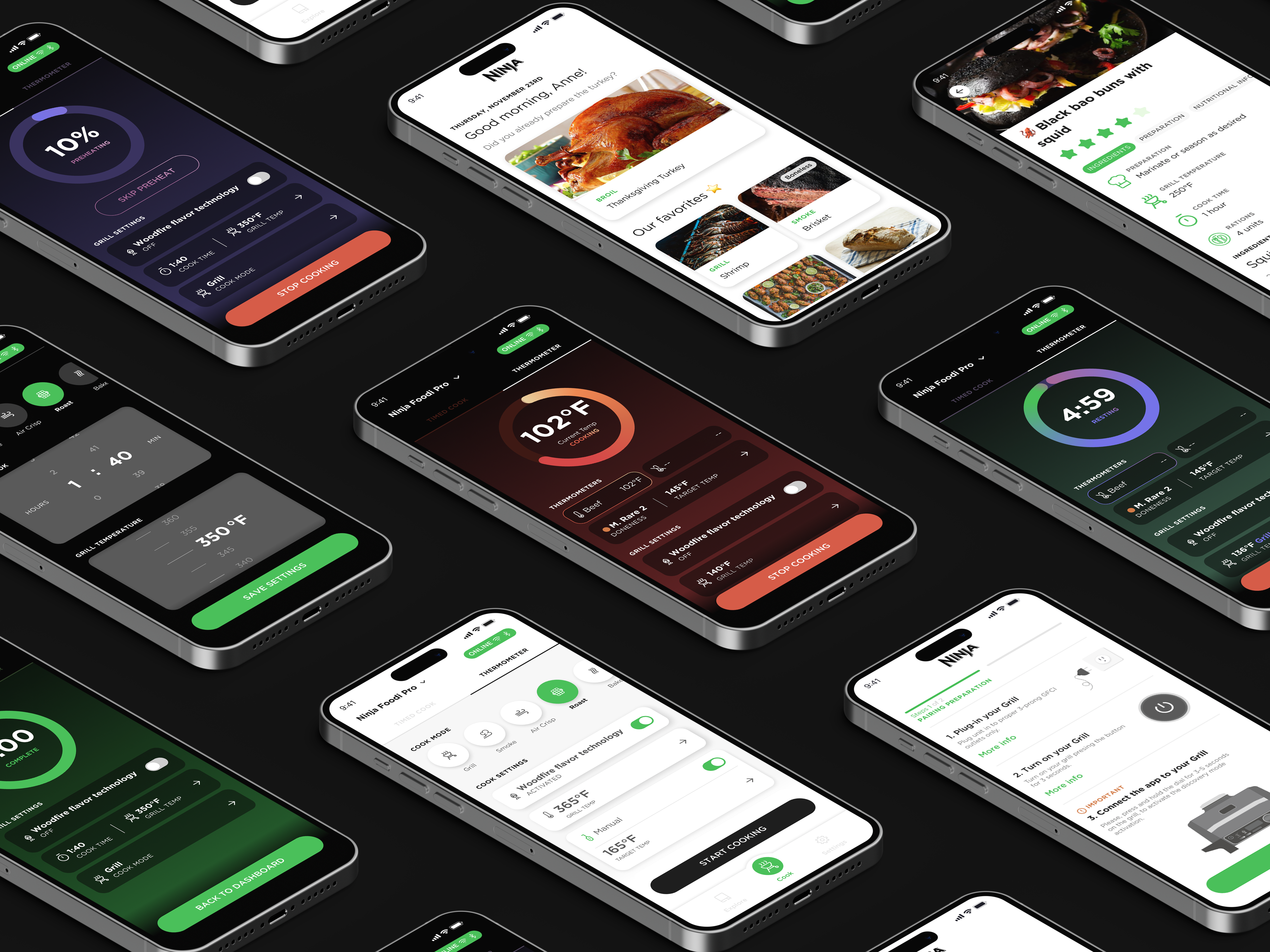
Defined how the grill would communicate its state through the interface: live temperature updates, a progress dial showing distance to the target temperature, and color-coded backgrounds indicating each cooking phase.
Making doneness easy to understand
Integrated the Smart Cook System, allowing users to choose their preferred doneness level using a visual reference of the meat’s cooking stages. This helped translate temperature data into something immediately understandable.
Creating the visual language
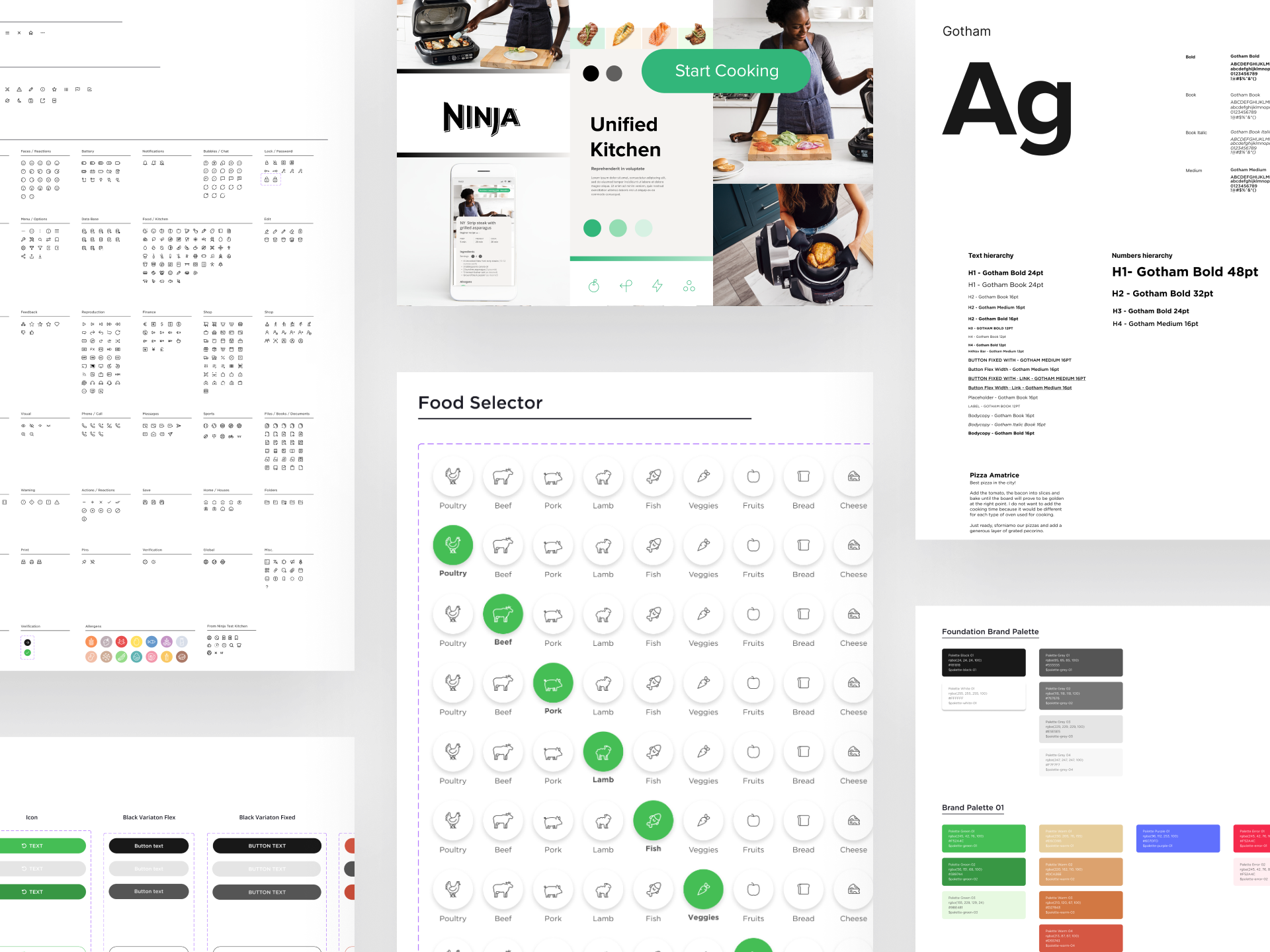
Since the product had no existing design system, we defined the app’s visual foundation, including colors, typography, and a custom icon set to support the connected cooking experience.
Iterating with hardware and engineering
Worked closely with engineers while both the grill and the app were evolving, refining interactions, notifications, and cooking states as the hardware capabilities became clearer.
Reflection
What I learned
Designing for connected devices is very different from designing purely digital products. When software controls a physical outcome (like cooking) the interface must communicate certainty and trust at every step.
Small signals such as cooking states, temperature feedback, and notifications become critical. If users don’t clearly understand what the product is doing, they won’t trust the result.